Marketer's cabinet

The marketer's cabinet: launch an offer yourself in minutes

Offer cards with a banner and preview, mailings to audiences and statistics. All in one cabinet, with no programmers.

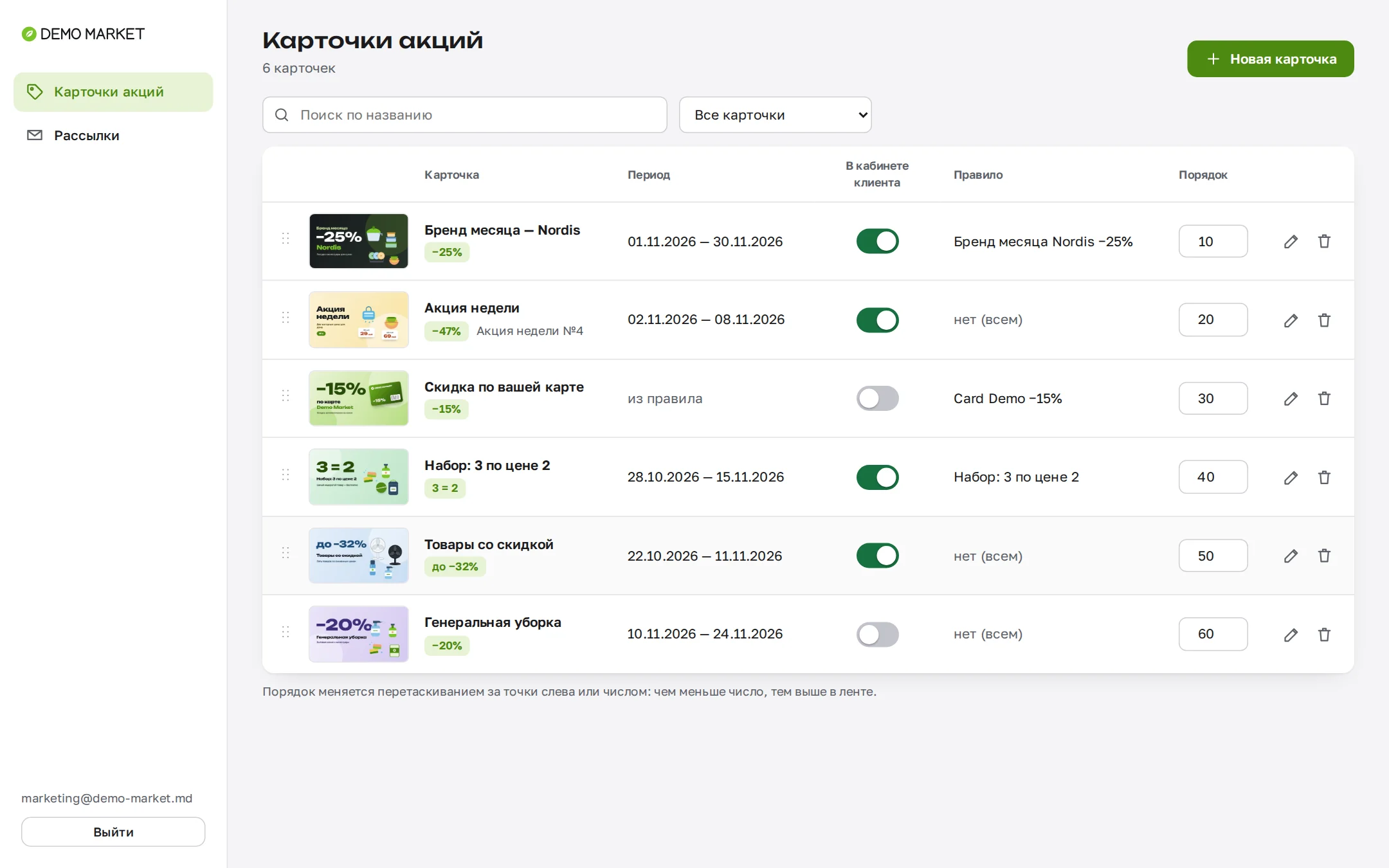
The marketer's cabinet lets you launch an offer yourself: upload a banner, write the text in two languages, link the offer to a discount rule and see how it looks on a phone. Next to it sit mailings to audiences, with a schedule and statistics.

Offer cards

An offer from idea to the customer's screen

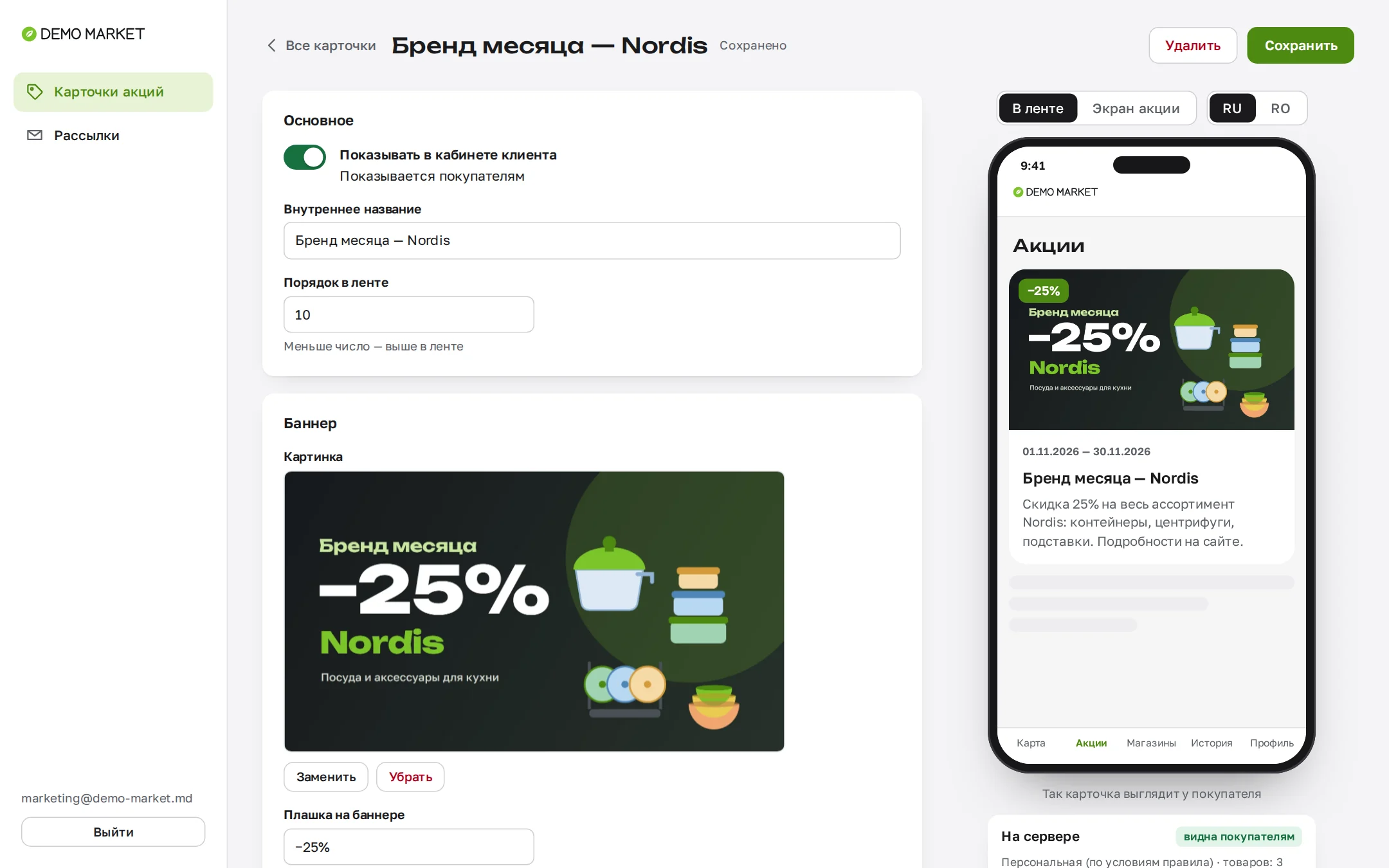
The marketer builds the offer card in the editor. The result shows up right away for customers in the app.

  • title and text in Russian and Romanian, with a formatting bar;
  • banner upload and cropping to 16:9;
  • a badge, for example "−25%";
  • validity period and position in the feed;
  • a link to a rule in the web center: the offer's product prices come from the rule's special prices;
  • product search for the offer;
  • the "Show in the customer's area" switch.
An offer from idea to the customer's screen

Preview "as on a phone"

Until the offer is published, the marketer sees it as the customer will: banner, badge, text and a product grid with old and new prices. A typo or a poor crop is caught before launch, not after a customer complains. The "More on the website" button leads to the offer page. Uploaded images are re-encoded to WebP without EXIF and GPS metadata, so no extra file information ends up in the banner.

Mailings

The right message to the right customers at the right time

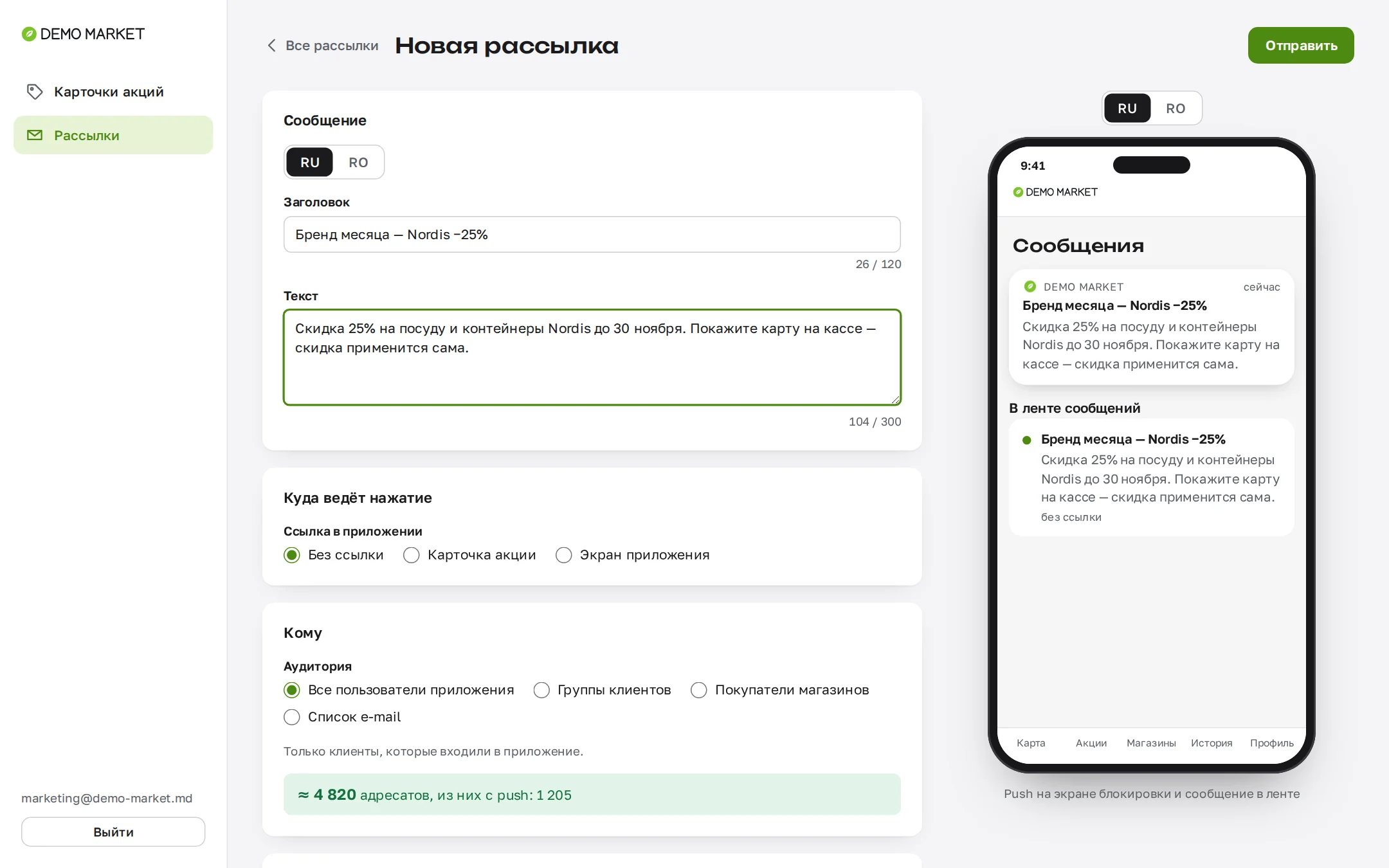
A mailing is prepared as simply as an offer.

  • title and text in Russian and Romanian;
  • an audience: all customers, customer groups, buyers from chosen stores or a list of e-mails;
  • an estimate of the number of recipients before sending;
  • "send now" or on a schedule;
  • quiet hours from 21:00 to 09:00, when nothing is sent;
  • a test to yourself to check the message;
  • statistics: how many customers received the message and how many opened it.
The right message to the right customers at the right time

Mailings go only to customers who gave the "Offers and news" consent. In the app this consent is off by default and the customer switches it on. That way promotional messages do not reach people who do not want them, and the decision about their data stays with the customer. More on the security page.

How it all connects

  1. 1

    Rule

    The discount is set up in the web center or the ERP module.

  2. 2

    Card

    Banner, text, validity and the link to the rule.

  3. 3

    App

    The customer sees the offer and products at the new price.

  4. 4

    Mailing

    Sent to the audience on a schedule, outside quiet hours.

  5. 5

    Statistics

    Received and opened.

Where the cabinet runs

The cabinet runs on the internal network of your company and opens with an account of the Synngate platform. It is a working tool for the marketing team, not a public service. Permissions are checked by the server, and sign-in events and cabinet actions are written to an audit log. Customer requests are handled in the web center's administration, not in the cabinet.

Frequently asked questions

Do I need a programmer for a new offer?

No. The banner, text, validity and the link to the rule are set in the editor.

Can I check an offer before publishing it?

Yes. The preview shows the card as it looks on the customer's phone, and a mailing can be sent as a test to yourself.

Who receives the mailings?

Only customers who gave the "Offers and news" consent. The audience can be narrowed by group, store or an e-mail list.

Is the cabinet reachable from the internet?

No, it runs on your company's internal network.

See the solution on your own network

A 30-minute conversation about your loyalty program, with no generic slides.