No installation barrier
Many buyers do not want to give up phone memory for a single store. A web app is easier to try.
What a web app (PWA) is, how it is added to the home screen, what works offline and what it cannot do. An honest look at the strengths and limits.
A loyalty app without an app store sounds like a compromise, but for a store it is often a sensible choice. A PWA loyalty app opens from the browser, is added to the phone's home screen and looks like an ordinary app, and the customer does not have to search for it in an app store and wait for a download.
A PWA (Progressive Web App) is a website that can behave like an app. Its address is opened in the browser, and then an icon is added to the home screen. After that it launches in its own window, without an address bar, and takes up very little space on the phone.
For the store this means that launch does not depend on development for different systems and on publishing. For the buyer everything looks simple:
From a message, from a poster at the till or via a QR code.
A one-time code arrives, so there is no password to invent.
Through the browser menu: an icon appears, like any app.
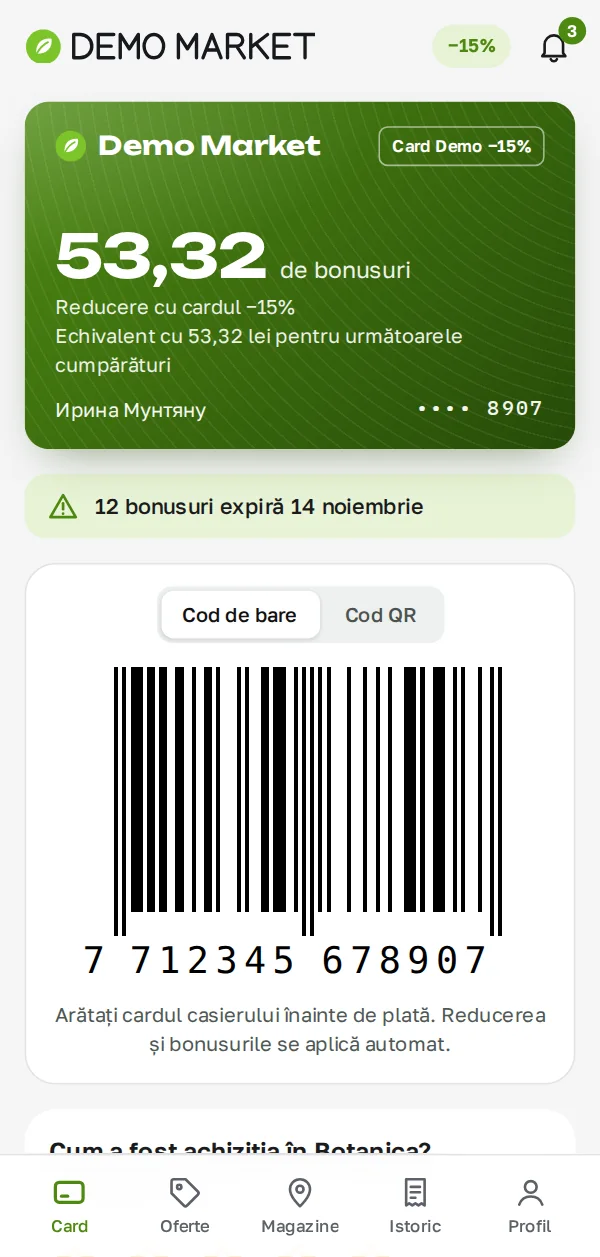
Show the code at the till and see the bonus balance, offers and receipts.
Many buyers do not want to give up phone memory for a single store. A web app is easier to try.
Fixes and new features reach everyone at once, with no wait for publication and no need for the customer to update the app.
There is no need for separate versions for different systems, so both launch and support are simpler.
There are no developer accounts in app stores and no separate publishing procedures.
The buyer is standing at the till in the basement of a shopping center, there is no signal, and the card has to be shown. For this the main things are stored on the phone itself: the card with its code opens even without a network, because it is taken from the phone's memory. History, balance and offers need a connection.
Everything that depends on fresh data from the server is unavailable without a connection. That is normal, but it is worth telling customers plainly, so that they do not look for a fault.
It is an important detail when checking any vendor: ask what exactly opens without internet. "Works offline" with no detail means nothing.
Let us compare the two approaches by what matters to a store owner:
For retail, where the card, offers and bonuses matter most, the limits of a PWA usually do not get in the way. If you need complex phone features, it is worth discussing separately.
What a PWA cannot do or does worse An honest list of limits: - It is not in app store search. The customer has to be brought in by a link, a poster, a QR code or the cashier. - Notifications depend on the phone. On some devices Web Push works only after the icon is added to the home screen, and the customer may have permissions turned off. - Limited access to phone features. The basics work, but fine integration with the system is not possible everywhere. - Habit. Some people still look for a "real" app in a store. They need to be shown how to add the icon.
If an app store listing is essential for your audience, that is solved separately through additional packaging. Discuss it in advance, not after launch.
The format itself does not sell the app; the benefit does:
How to check the vendor Before choosing, ask a few questions and ask to see the answer on a phone:
Customer data and consent The app holds personal data: a name, an e-mail, purchase history. So it helps if the customer can see and download their data, delete the account and decide whether to receive promotional messages. Promotional consents are best left off by default. The general principles of the law are in the article on law 195/2024 and loyalty; for how it applies to your case, consult a lawyer.
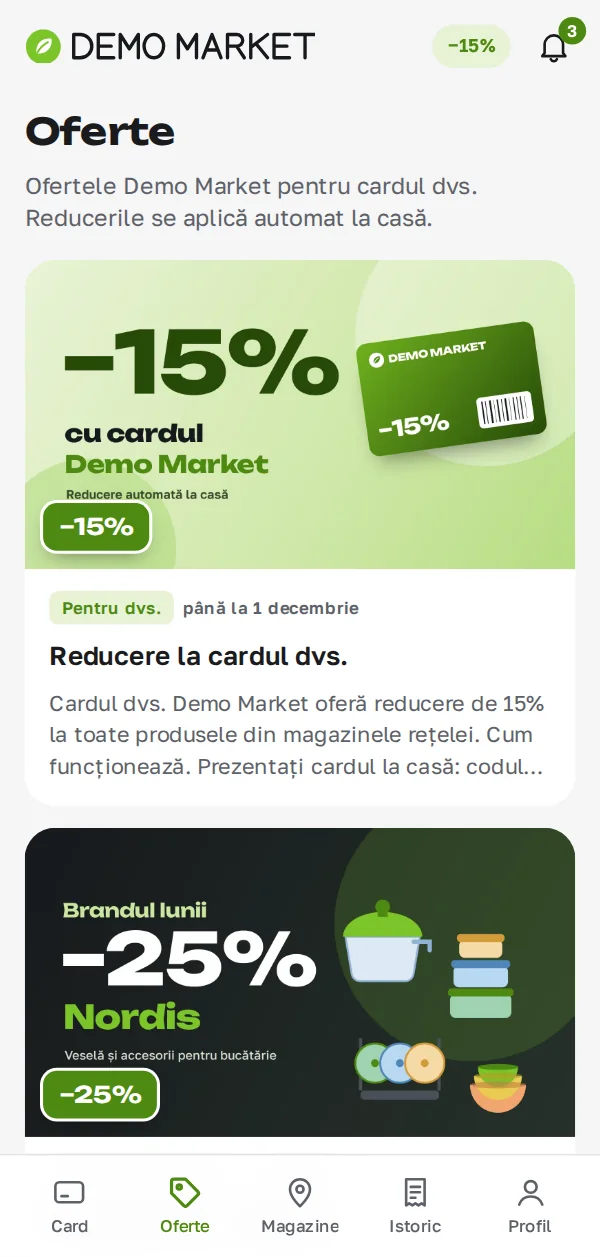
The Synngate Loyalty customer app is a PWA in Romanian and Russian with five sections. The card with its code opens offline, sign-in is by e-mail without a password, offers are collected in a feed, and reminders arrive about the balance and bonus expiry. The detailed contents are described on the app page, and the marketer runs the offers for it in the cabinet. Request a demo to open the app on your own phone.
No. The app opens in the browser and is added to the home screen.
Yes, it is an ordinary web standard, but notification options depend on the system version and phone settings. Check on your customers' devices.
Sign-in is by e-mail with a one-time code, so it is enough to sign in from a new device. The app lets customers see their own devices.
Yes. The loyalty program also works with a card or a phone number. The app adds convenience but is not required to start.
A discount and a bonus look alike, but they affect margin, purchase frequency and the cashier's work differently. We compare them on one receipt and give a rule for choosing.
Read more →A step-by-step launch plan: from the goal and mechanics to cashier training and first measurements. No promised timelines: they depend on your chain.
Read more →R, F and M explained with a store example: how scores are calculated, who sits in the corners of the matrix and what to do with each group. The method is simple, but it has limits.
Read more →A 30-minute conversation about your loyalty program, with no generic slides.